
Curated blog with news, events, listings, jobs and exciting stories about web design & web development.

EmbedMyReviews Introduces Onboarding Blueprint Packages
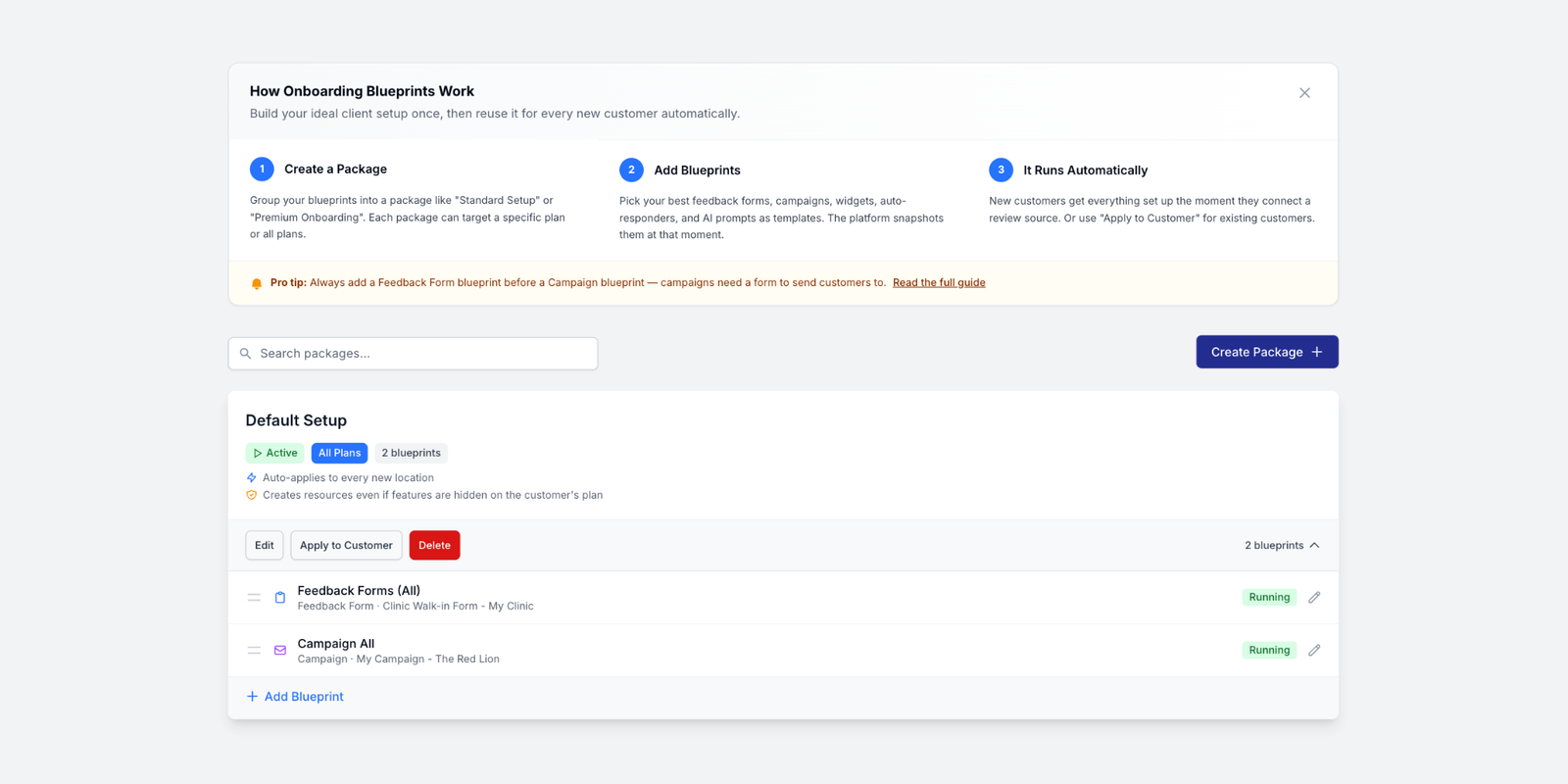
Mannie from EmbedMyReviews has just introduced onboarding blueprint packages and two new blueprint types to the white-label online reputation management platform.
New: Onboarding Packages
Blueprints are now organized into packages. Rather than displaying them as a flat list, you can now group them together into named packages, such as ‘Standard Setup’ or ‘Premium Onboarding’. Everything in a package is applied as a set, making it much easier to manage what each customer receives.
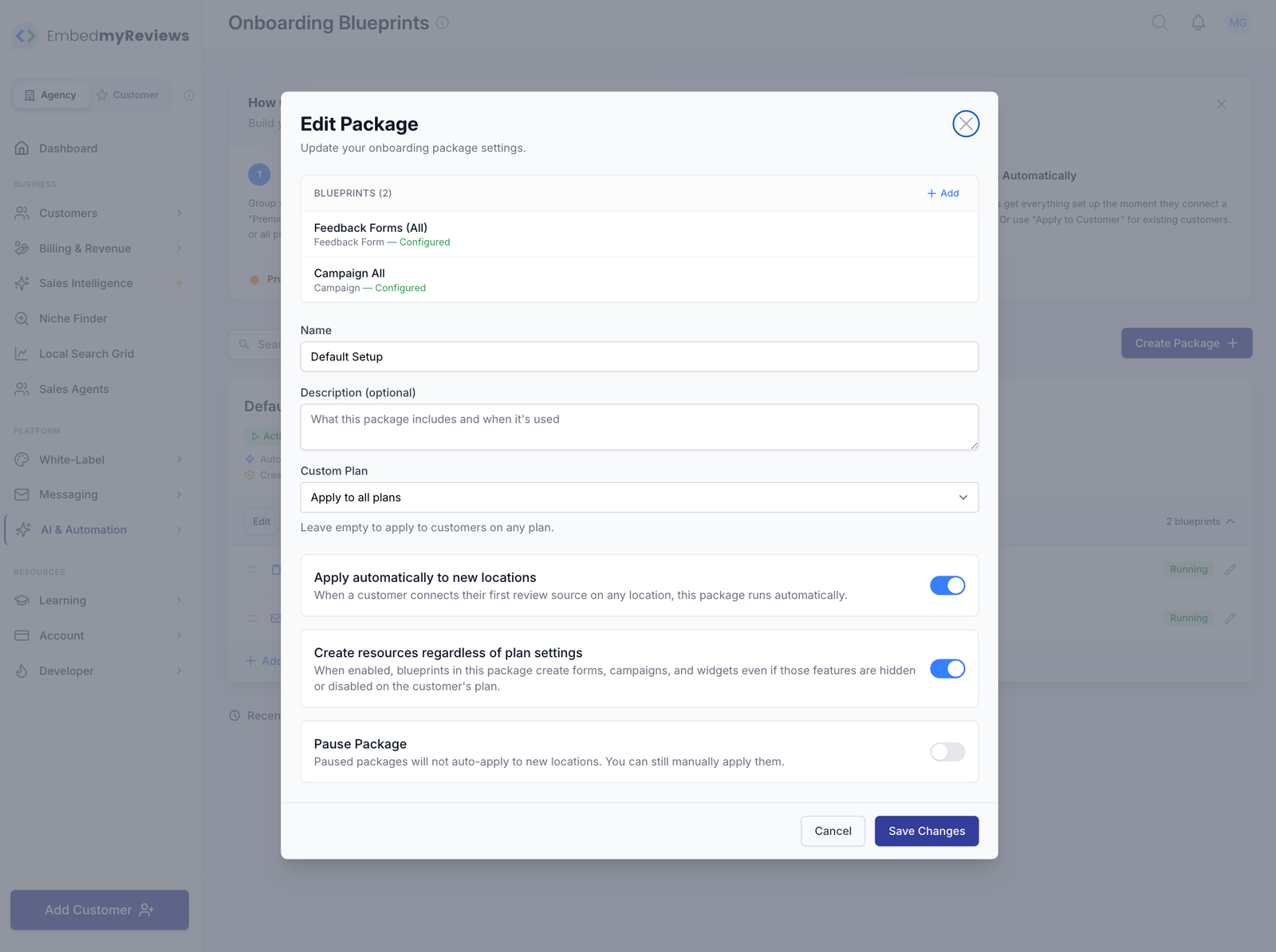
Each package can be assigned to a specific custom plan (or a specific customer), ensuring the right setup matches the right customers automatically. Alternatively, you can leave it on ‘Apply to all plans’ if one size fits all.
You can pause a package without deleting it. Paused packages will not run automatically for new customers, but you can apply them manually at any time.
Setup Wizard
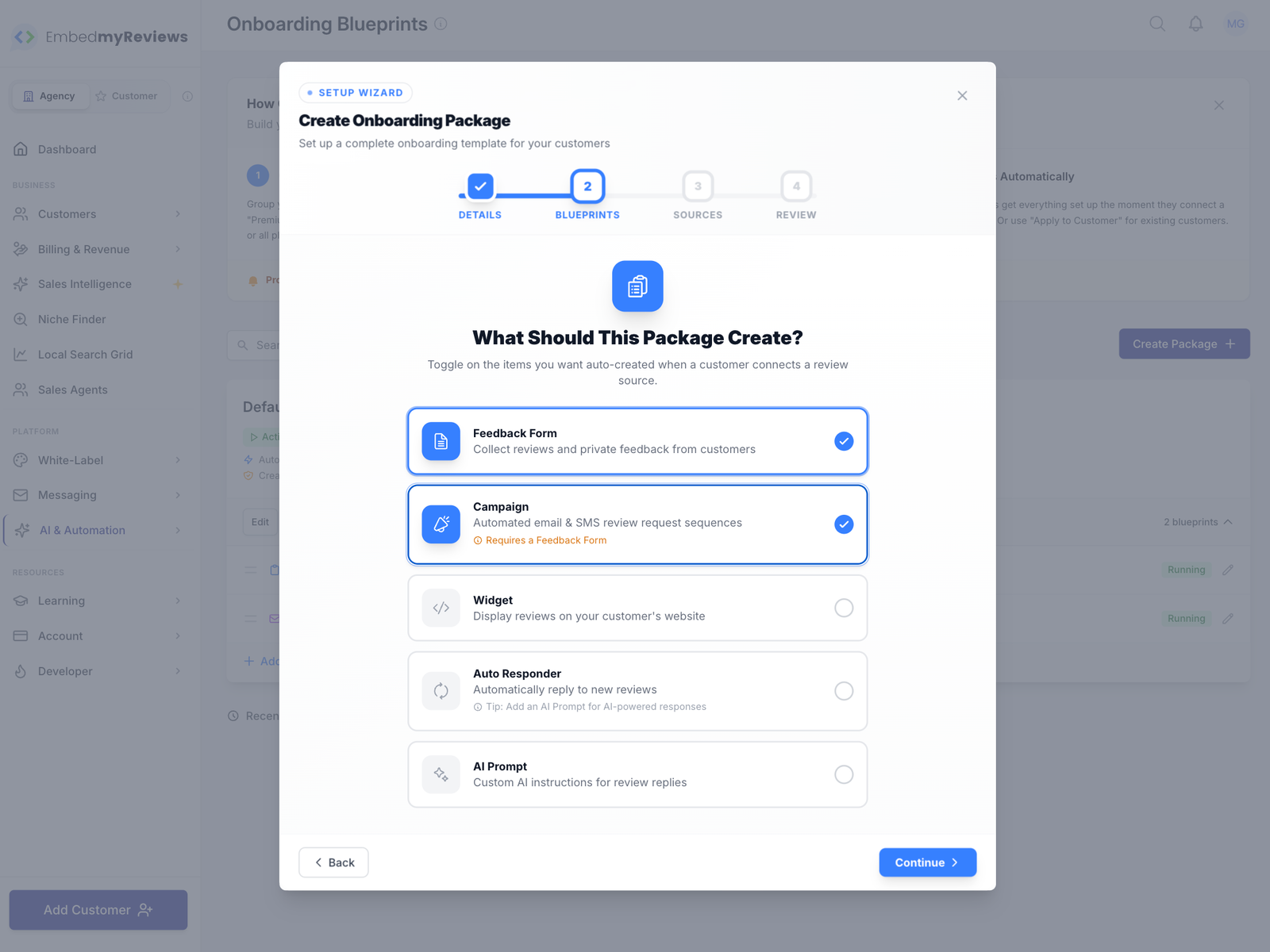
Instead of a blank form, creating a package is now a guided four-step process. The new EmbedMyReviews wizard will walk you through the process of naming your package, choosing what to include, selecting your templates and reviewing everything before you finalize it.
Two New Blueprint Types
EmbedMyReview has introduced new Auto Responder and AI Prompt blueprints, in addition to the existing Feedback Form, Campaign and Widget types. This means that you can now include automatic review reply rules and custom AI response instructions as part of your onboarding setup. New customers will have their auto responder and AI prompt created automatically, just like forms and campaigns.
Progress Tracking & Location Locking
When applying a package, you can now view the progress in real time, with each location appearing as it is processed. You can see the overall progress bar and find out how many locations succeeded, failed or were skipped. You can also drill into individual locations to see exactly which blueprints were created.
While a package is being applied, the affected locations are temporarily locked to prevent you from accidentally applying the same package twice at the same time. Once the process has finished, the locations will unlock.
Bypass Plan Restrictions
The ‘Bypass plan restrictions’ option is now available for packages. When this option is enabled, the package will create everything, even if the customer’s plan doesn’t normally include certain features. This is useful for VIP clients, trial periods, or when you want to give a customer more than their usual allowance.
Activity Log & Quick Start Guide
EmbedMyReviews has also added a ‘Recent Activity’ section to the main page, displaying the last 10 blueprint applications. In other news, the ‘Onboarding Blueprints’ page now features a collapsible quick-start guide at the top of the page.

Biff Codes - The Job Board for WordPress Devs
Biff.codes is on a mission to revolutionize job boards. Post and find WordPress developer jobs for free.
FTC Disclosure: We may receive a payment in connection with purchases of products or services featured in this post.




Add your first comment to this post