
Curated blog with news, events, listings, jobs and exciting stories about web design & web development.

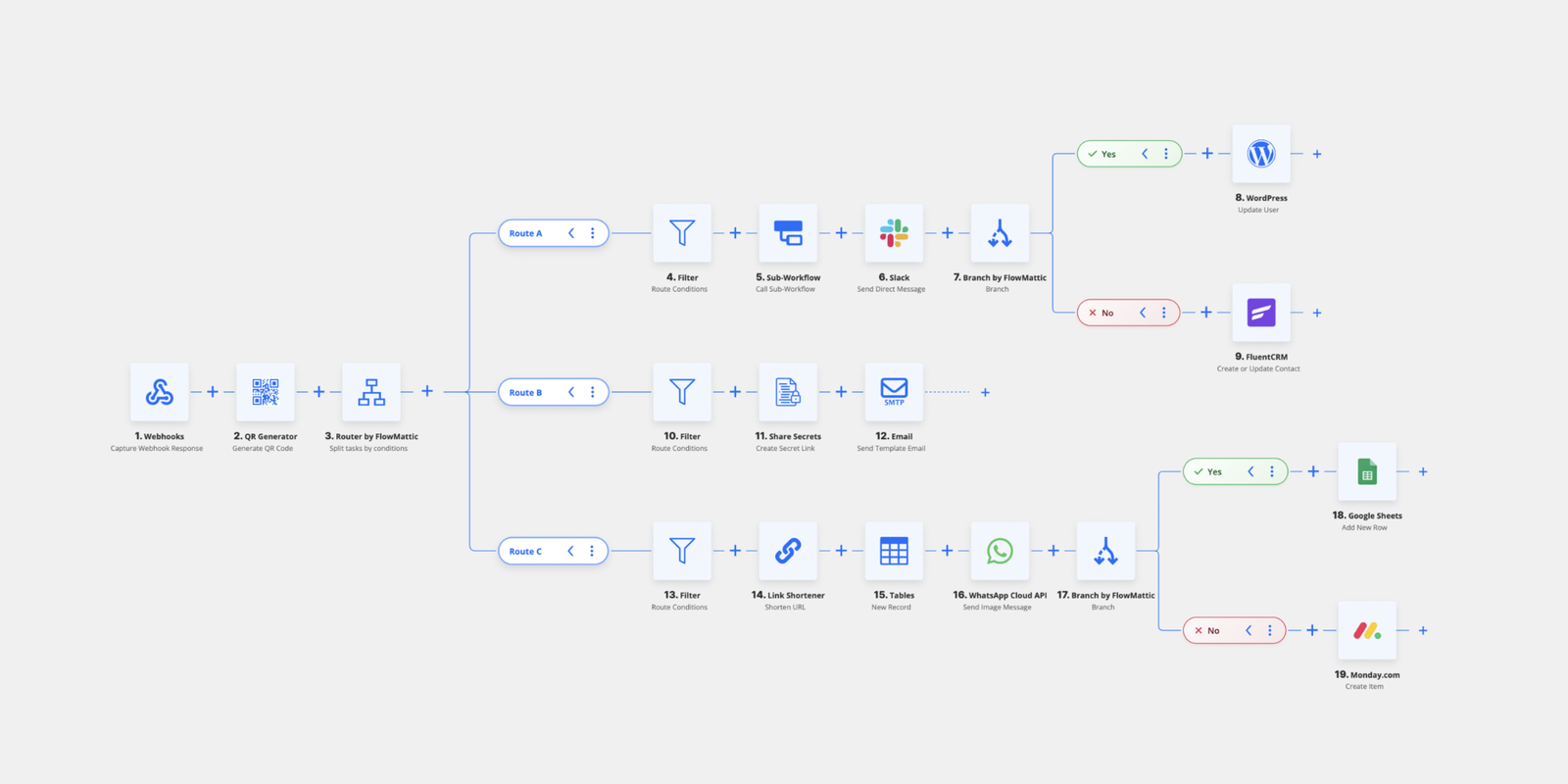
FlowMattic Introduces New Horizontal Workflow Builder
Nitin from FlowMattic has just released version 5.5.0 of its no-code automation plugin for WordPress, introducing a new horizontal workflow builder, a new Share Secrets module and more.
New Features
Let’s find out what’s new in FlowMattic:
- Horizontal Workflow Builder:
You can now switch to a horizontal layout when building workflows. This is particularly useful for complex automations with multiple branches. Your preferred layout is saved automatically. - Download Workflow as PNG:
Share your workflow designs on social media, include them in client presentations or add them to your documentation. With just one click, your workflow will be exported as an image. - Share Secrets Module:
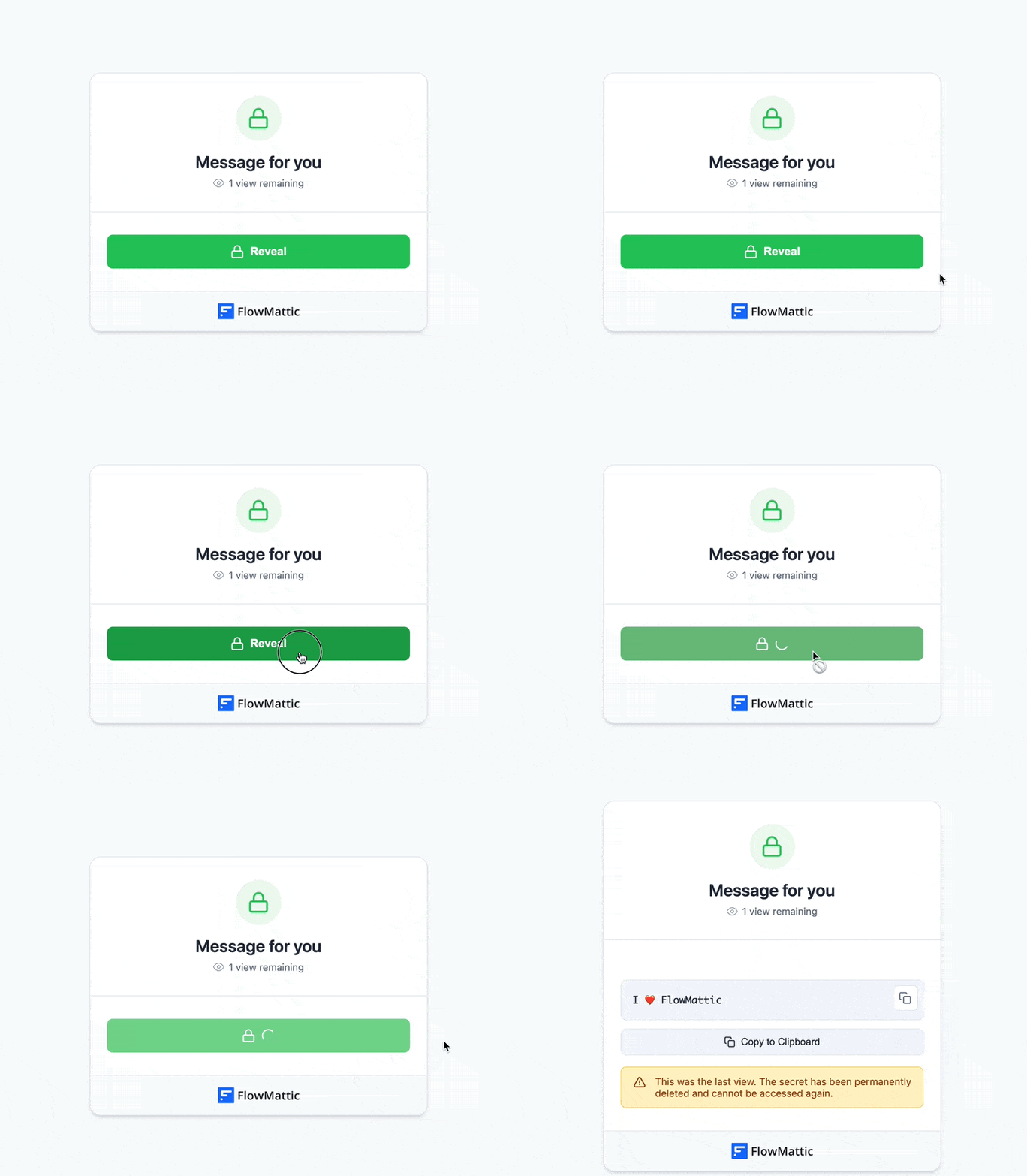
Securely share passwords, API keys, license codes and other confidential information via self-destructing links. You can set time- or view-based expiration, add password protection and customize the branding. You will also receive notifications when secrets are accessed. All data is encrypted with AES-256. - WordPress Multisite Integration
FlowMattic 5.5.0 introduces 15 new triggers and 25 new actions, offering comprehensive network automation. You can manage sites, users, super admin operations and cross-site content synchronisation from your workflows. - Create MCP Tools from Integrations
Transform any installed integration into an MCP tool in just a few clicks. Connect your AI assistants directly to your WordPress site and its services.
In other news, FlowMattic has introduced automatic integration installation during workflow imports and enhanced the workflow builder experience.

Biff Codes - The Job Board for WordPress Devs
Biff.codes is on a mission to revolutionize job boards. Post and find WordPress developer jobs for free.
FTC Disclosure: We may receive a payment in connection with purchases of products or services featured in this post.






Add your first comment to this post