
Curated blog with news, events, listings, jobs and exciting stories about web design & web development.

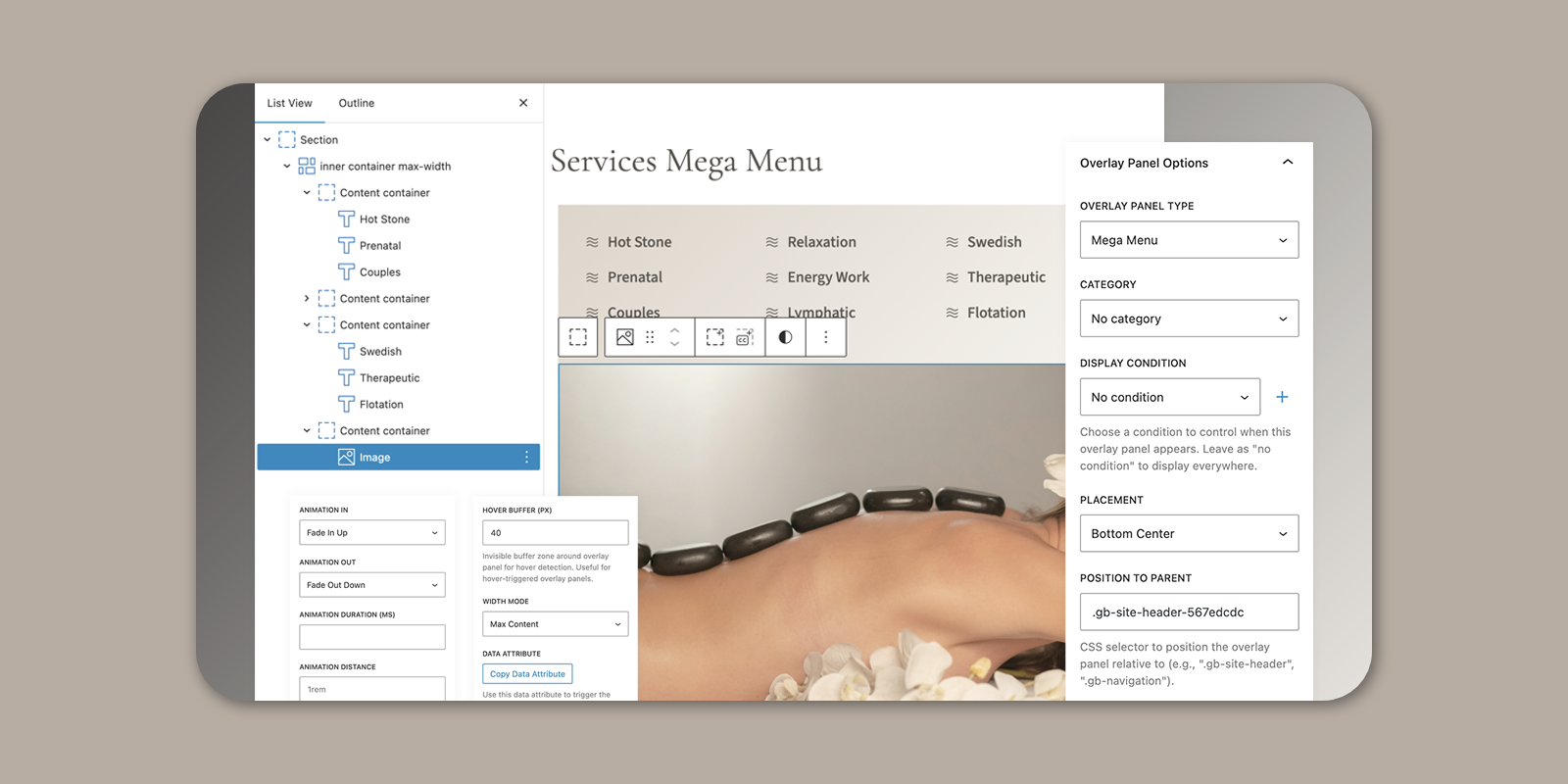
GenerateBlocks Pro Introduces New Mega Menus
Kathy from GenerateBlocks has just announced that you can now create mega menus using blocks and the recently released Overlay Panels.
New: Mega Menu
In GenerateBlocks Pro 2.3, Mega Menus are built using Overlay Panels, which are then attached to a menu item that has been set up with the GenerateBlocks Navigation Block. Visually stunning, content-rich menus that go beyond traditional dropdowns can be created with this approach. With Mega Menus, you can display images, links, forms or any other block-based content while maintaining GenerateBlocks’ renowned lightweight performance.
Check out the benefits:
- Content-Rich Navigation:
You can add images, videos, buttons, or even forms to mega menus. - Multi-Column Layouts:
You can arrange menu content in multiple columns or grids to perfectly showcase product categories, featured posts, services and more. - Interactive Elements:
You can add CTAs, newsletter sign-ups and social media links to the menus. - Custom Styling:
You can also use the styling options in GenerateBlocks to match the design of your mega menu to your site’s branding. - Dynamic Content:
Finally, you can use the ‘Conditions’ feature to display tailored menu content based on user roles, devices, or other criteria.
Whether you’re showcasing products, highlighting blog categories or creating a dynamic navigation hub, mega menus can elevate your site’s usability and aesthetic. Currently in alpha.
Sound interesting? Get GenerateBlocks Pro today!

Biff Codes - The Job Board for WordPress Devs
Biff.codes is on a mission to revolutionize job boards. Post and find WordPress developer jobs for free.
FTC Disclosure: We may receive a payment in connection with purchases of products or services featured in this post.




Add your first comment to this post