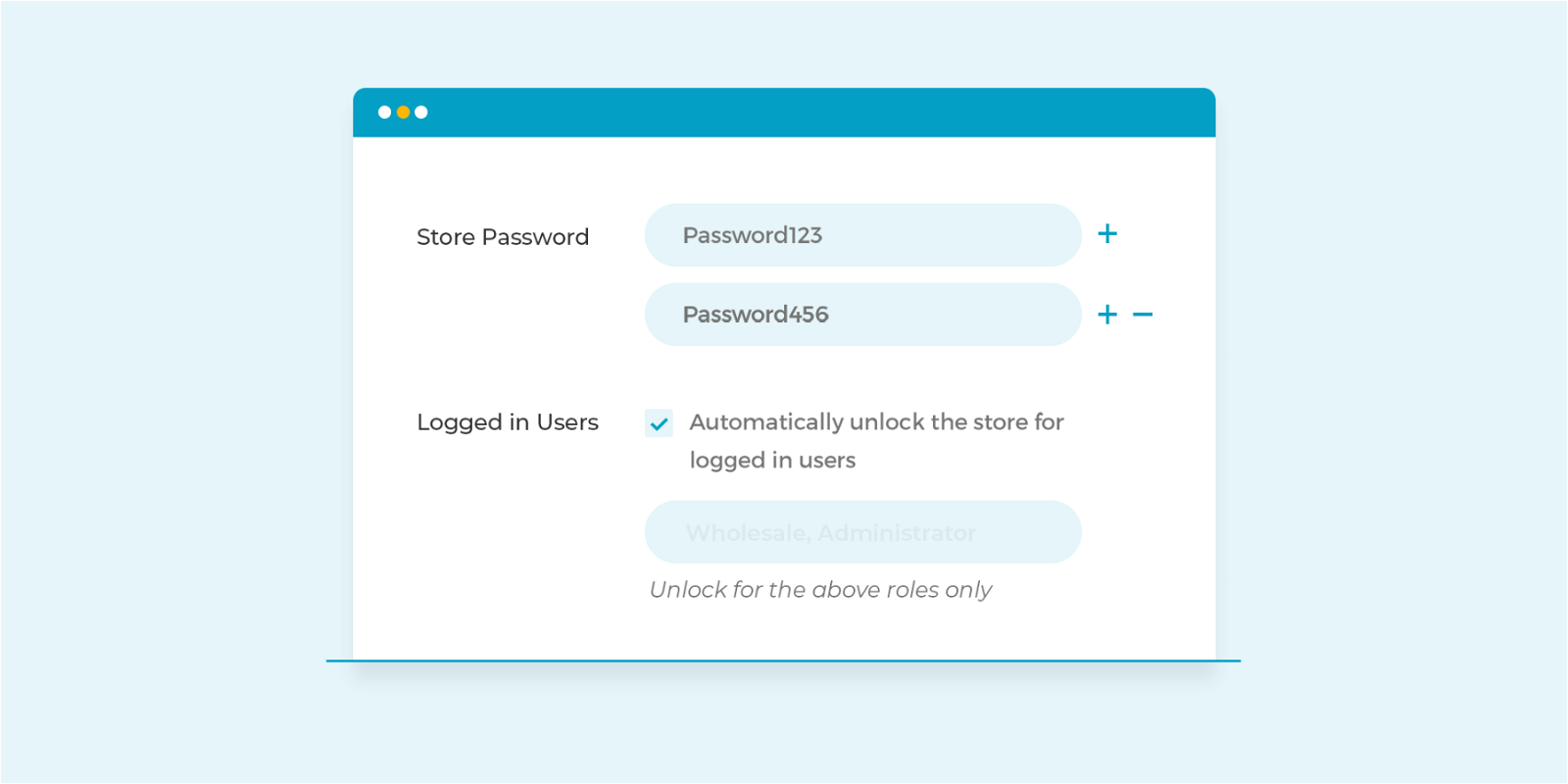
Barn2 just released version 1.6 of WooCommerce Private Store into the wild. It comes with a brand new feature that allows you to choose which user roles can access your private store.
-
people visited this page
-
spent on this page
0
people liked this page
Share this page on
Share this page, earn commissions for referred customers.
Previously, you could only unlock the online store for all logged in users, but you could not select specific user roles. Now you can simply by enabling the option Logged in Users at WooCommerce > Settings > Private Store. There you can then select the user roles that will be able to access your private store such as Wholesalers, B2B, Administrators and Store Managers for instance.
This option comes in quite handy if you want to exclude subscribers from accessing your store for example.
Ahoi.dev is a ShabuShabu project by Stefan Glumpler & Boris Glumpler – a brother and web designer / developer team based in Munich, Germany. Servus from Bavaria!







Add your first comment to this post