
Curated blog with news, events, listings, jobs and exciting stories about web design & web development.


xCloud Introduces New MailBox Add-On
The xCloud team has just launched a new MailBox add-on for its WordPress cloud control panel and site management solution. It allows you to finally send and receive emails from your own domain.
New MailBox Add-On
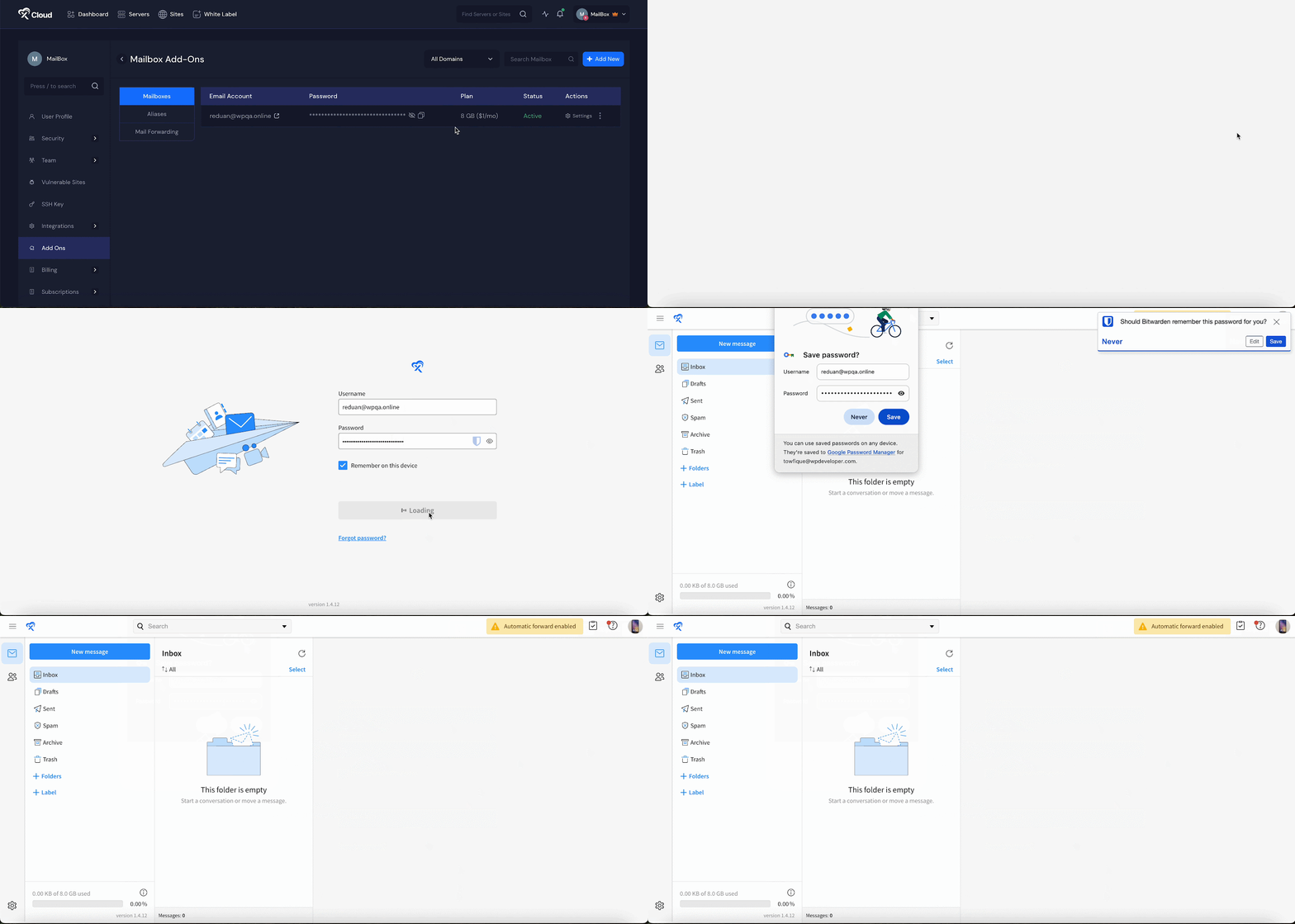
The new MailBox add-on is powered by a world-renowned mailbox company with data centers across the globe and comprehensive support throughout Europe. There’s no complicated setup. Simply set it up to get a fully functional mailbox.
With the MailBox add-on, you get:
- Business email starting from just $1 per month with easy setup.
- Create email addresses with your own domain.
- Email forwarding and unlimited email aliases.
- Configure with an email client using IMAP/POP.
- Use as an SMTP provider for transactional (server outgoing) emails.
- Automatic DNS record management with Cloudflare integration.
- Two-factor authentication (2FA).
- Support for aliases and mail forwarding.
- Secure sending and receiving of emails.
xCloud offers two affordable plans, including an 8GB mailbox for $1 per month and a 25GB mailbox for $2.50 per month.
What’s More?
In other news, xCloud has introduced new site monitoring graphs that display CPU, RAM and disk usage, providing better operational visibility. These graphs support time filters such as ‘Last 24 Hours’ and ‘Last 7 Days’ for flexible analysis. You can also now manually refresh the data to view updates in real time, helping you to stay on top of performance trends.
Finally, they have introduced a centralized add-ons section, making it easier to manage all your tools, including MailBox, Mail Delivery and Vulnerability Shield Pro, from one streamlined interface.

Biff Codes - The Job Board for WordPress Devs
Biff.codes is on a mission to revolutionize job boards. Post and find WordPress developer jobs for free.
FTC Disclosure: We may receive a payment in connection with purchases of products or services featured in this post.




Add your first comment to this post