Jitta from Gist has just improved the visibility of contacts in the workflows of their customer support, live chat and email marketing automation platform.
-
people visited this page
-
spent on this page
0
people liked this page
Share this page on
Share this page, earn commissions for referred customers.
With Gist, you now have even more visibility into the automation journeys of your contacts, allowing you to see exactly where a contact is in your workflow and how they entered it. This makes it easier for you to understand their journey and gives you insight into the steps they’ve taken along the way.
How to view the path of your contact in workflows:
Navigate to the contacts list by clicking Contacts in the top menu.
You can use the search box to quickly find the contact that you’re looking for.
Open the contact’s profile by clicking on the contact’s name.
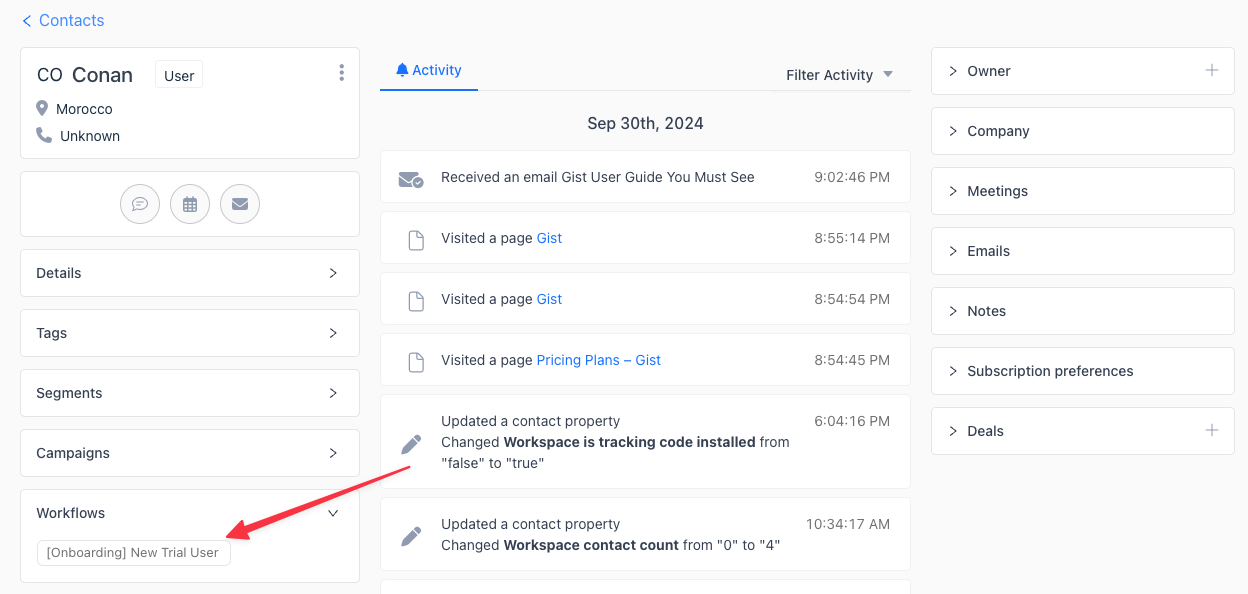
Scroll down to the Workflows widget. Expand it to see all active workflows and click the workflow you want to review.
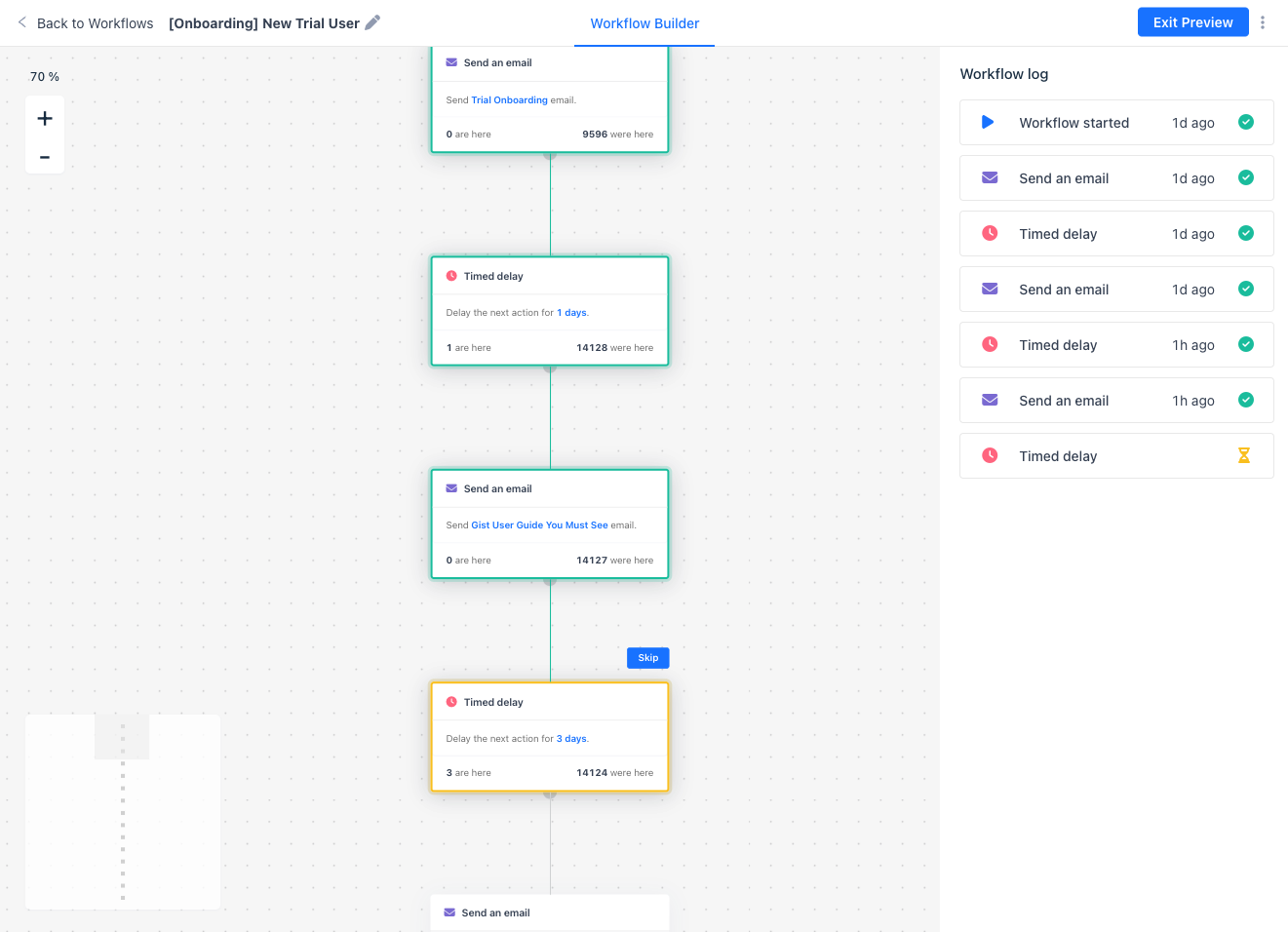
You’ll be taken to the Workflow Builder, where you can see each step the contact has completed and where they are in the workflow.
With this new feature, Gist allows you to easily identify and resolve automation issues or gain deeper insight into how your workflows are performing with individual contacts.
Biff Codes - The Job Board for WordPress Devs
Biff.codes is on a mission to revolutionize job boards. Post and find WordPress developer jobs for free.
Ahoi.dev is a ShabuShabu project by Stefan Glumpler & Boris Glumpler – a brother and web designer / developer team based in Munich, Germany. Servus from Bavaria!











Add your first comment to this post