
Curated blog with news, events, listings, jobs and exciting stories about web design & web development.


Groundhogg Rolls Out Custom Reports
Groundhogg just introduced custom reports to their WordPress marketing automation and CRM plugin. This can give you even more insight into the behaviour of your audience to better market to them.
Easily Create Email Campaigns & Marketing Automation Funnels »
Custom Reports
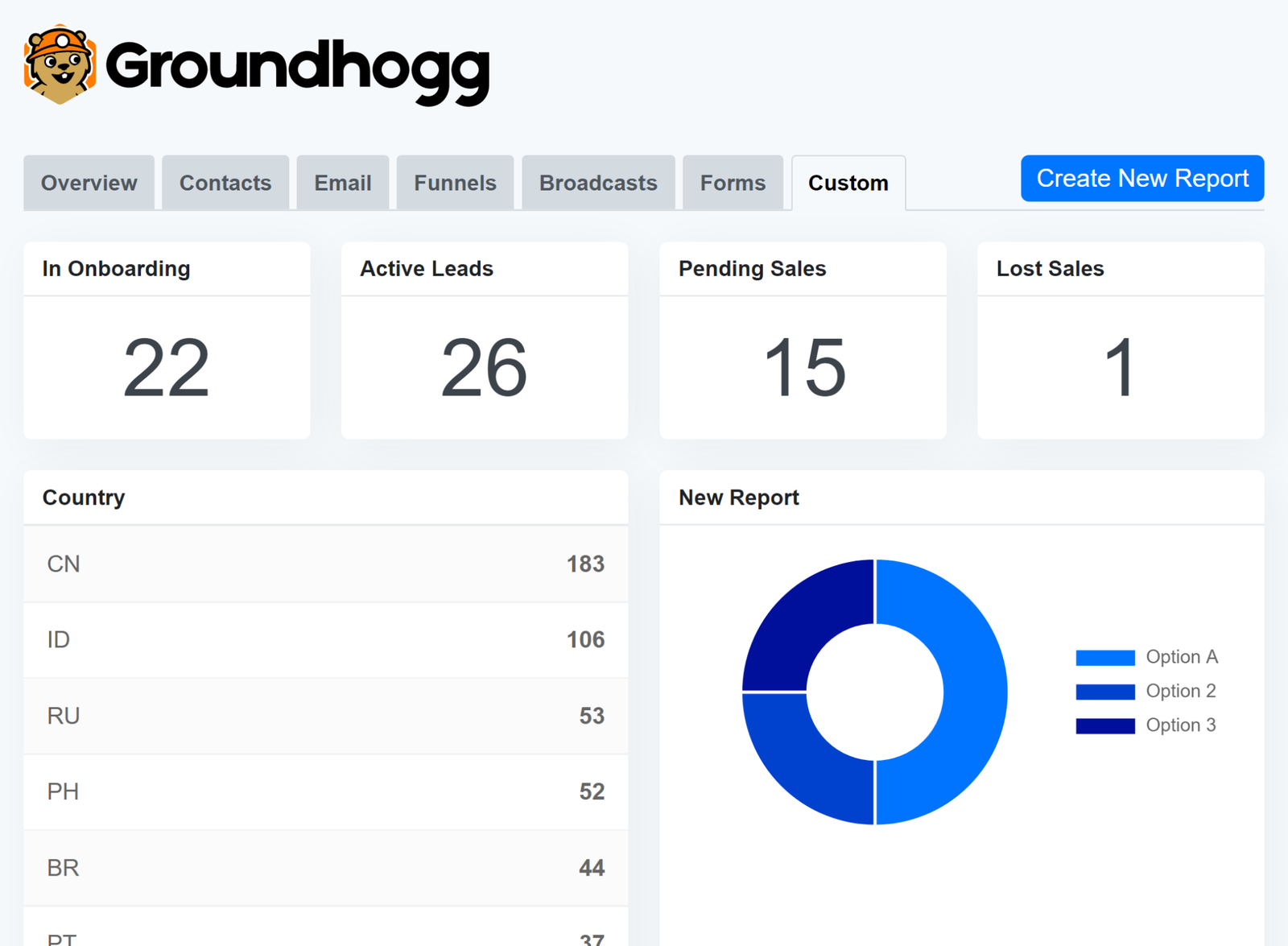
Goundhogg 2.6.3 adds a new option to the free core plugin that allows you to create custom reports directly from the dashboard, providing deep insights into your audience and performance.
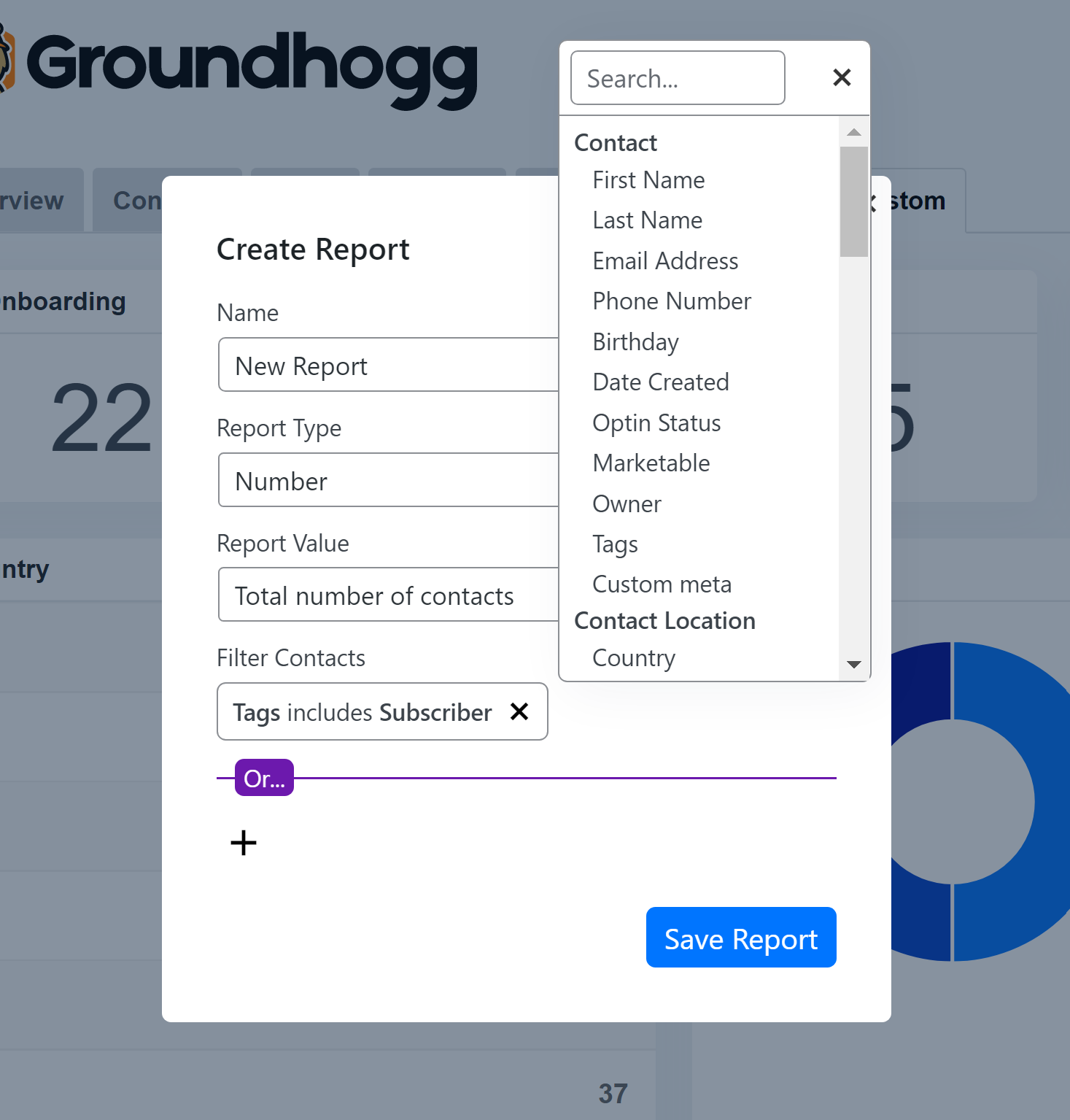
Simply head over to Groundhogg > Dashboard > Custom and click the Create Report button. For starters, you can choose from the following three report types. More reports will be added over time.
- Pie Charts
- List Table
- Number
Then use Groundhogg’s search filter engine to select subsets of contacts and custom fields such as birthday for example to generate data in the reports.
By clicking on the data in any report, you can immediately access the contact page for the corresponding query.
Easily Create Email Campaigns & Marketing Automation Funnels »

Biff Codes - The Job Board for WordPress Devs
Biff.codes is on a mission to revolutionize job boards. Post and find WordPress developer jobs for free.
FTC Disclosure: We may receive a payment in connection with purchases of products or services featured in this post.






Add your first comment to this post