
Curated blog with news, events, listings, jobs and exciting stories about web design & web development.

TranslatePress Introduces Fully Customizable Language Switcher
The TranslatePress team has just announced the release of a highly anticipated, fully customizable language switcher for its WordPress translation plugin (also see The Pier #118).
Custom Language Switcher
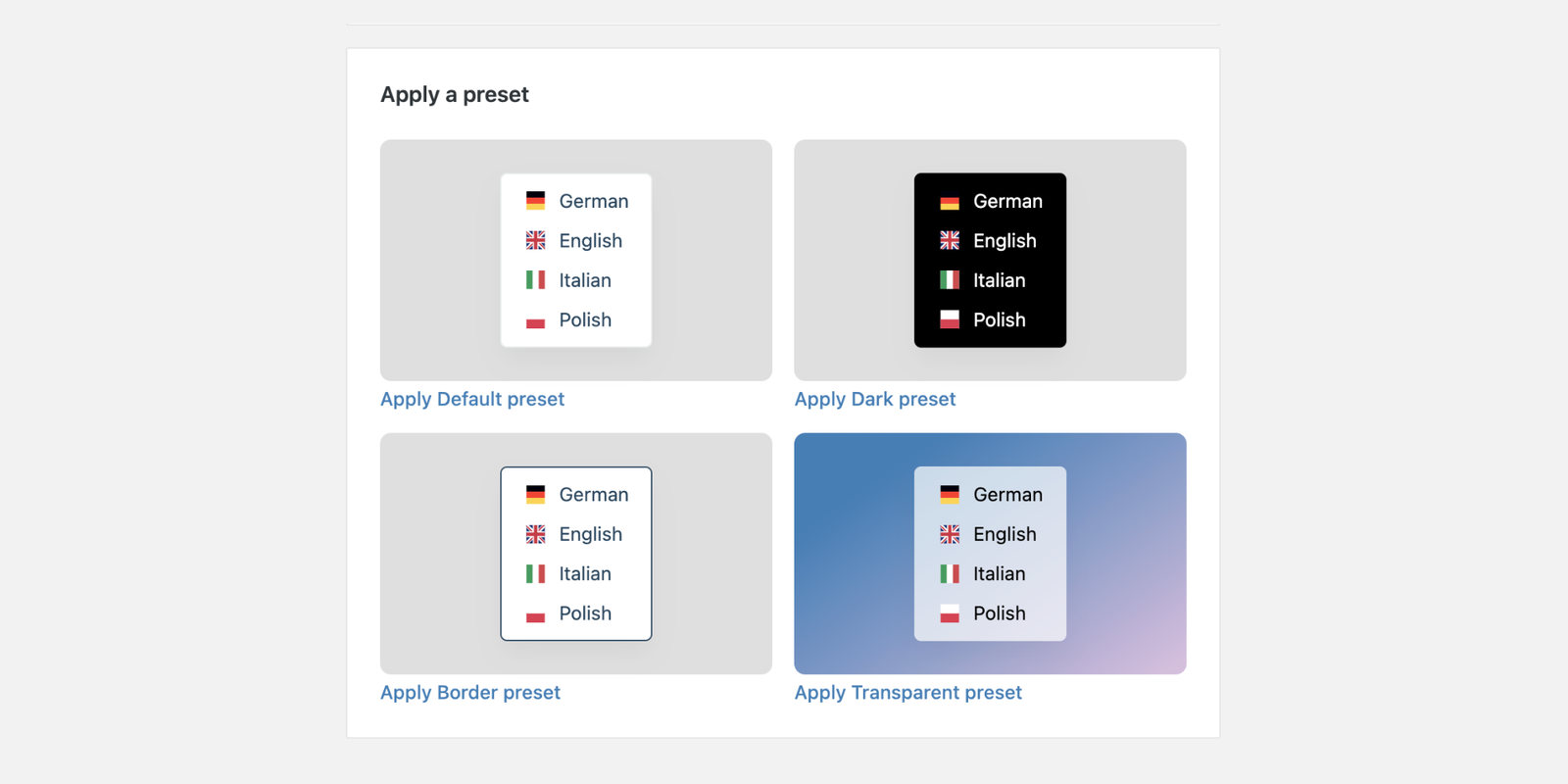
The three flexible ways to add a language switcher to your WordPress site remain the same: floating, menu item or shortcode/Gutenberg block. However, TranslatePress has now grouped all language switcher settings inside a dedicated Language Switcher tab, improving the setup process.
Need a quick setup? Start with one of the new built-in presets, which match most website styles straight away. Simply select one and you’re ready to start.
You can also go beyond the presets and customize every detail using the ‘Customize Design’ and ‘Customize Layout’ tabs:
- Background & text colors,
- Borders styles & padding,
- Flag shape & position,
- Show/hide language names or combine them with flags.
What’s more, with the built-in preview window, you can now see all changes in real time right inside the settings panel. The new Language Switcher is now available with all TranslatePress plans.
PS: We have just translated a client website into seven other languages using the DeepL Pro integration, and we have also implemented the new language switcher. We added it to the header of a Blocksy-powered website and, with a bit of CSS, made the country flags round. It’s a piece of cake!

Biff Codes - The Job Board for WordPress Devs
Biff.codes is on a mission to revolutionize job boards. Post and find WordPress developer jobs for free.
FTC Disclosure: We may receive a payment in connection with purchases of products or services featured in this post.





Add your first comment to this post