
Curated blog with news, events, listings, jobs and exciting stories about web design & web development.


Trustwards: New Consent Settings & GDPR/CCPA Banner Preview
José from Trustwards has just released version 2.4 of the consent management platform for WordPress. This update introduces new consent settings, a GDPR/CCPA banner preview, and much more.
New Features
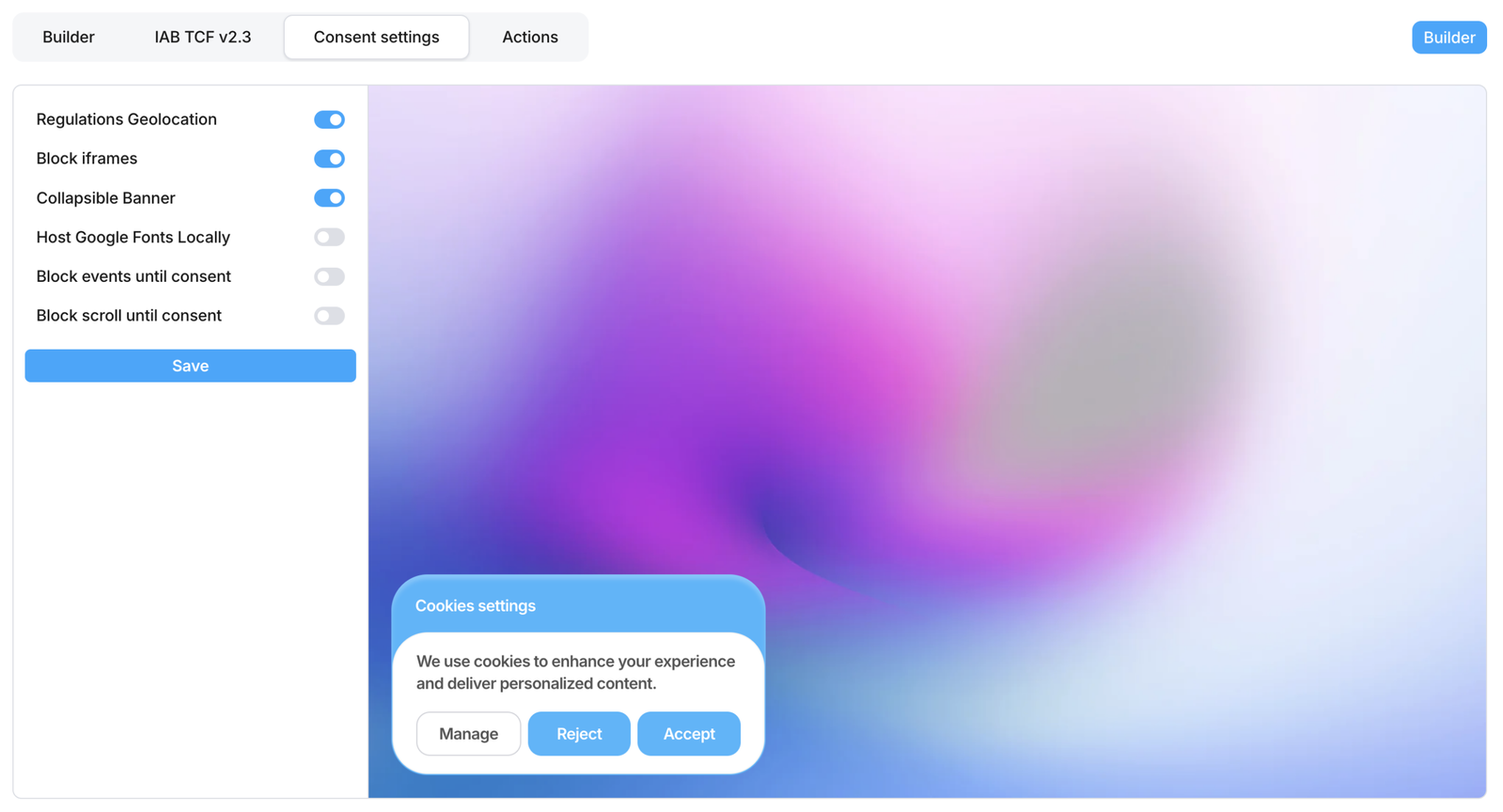
Let’s take a quick look at what’s new in Trustwards:
- Preview the GDPR and CCPA banners directly from the WP admin header, and switch between them easily.
- Change the category of each scanned cookie and iframe as needed.
- Show or hide the flags by selecting the Languages element.
- Policies now have their own separate shortcode in case you want to create a page for each policy.
- The ‘Consent Settings’ option is enabled by default for ‘Regulations Geolocation’. If this is disabled, the banner will be displayed in countries where these regulations do not apply (GDPR takes precedence over CCPA).
- The Consent Settings option ‘Block iframes’ is enabled by default. If this is disabled, iframes won’t be blocked until consent is given.
- The ‘Consent Settings’ option ‘Host Google Fonts’ is disabled by default. If enabled, Trustwards will not load any fonts at the front end.
- The scanner supports all anti-bot providers, including Cloudflare.
- The WordPress locale will be used as the default language for all elements and themes.
- Some controls on elements in the builder have been given tooltips to help you understand what they do.
Trustwards is already working on version 2.5, which will introduce CSS variables to the banner builder and clean consent logs from your database, as well as saving indicators. The policies preview on the dashboard will also display the actual text from your policies instead of Lorem Ipsum strings.
Finally, you will be able to import and export banner and modal templates, allowing you to reuse them across your websites.

Biff Codes - The Job Board for WordPress Devs
Biff.codes is on a mission to revolutionize job boards. Post and find WordPress developer jobs for free.
FTC Disclosure: We may receive a payment in connection with purchases of products or services featured in this post.









Add your first comment to this post