
Curated blog with news, events, listings, jobs and exciting stories about web design & web development.


WP Umbrella Introduces Verified, Self-Healing Backups
Aurelio from WP Umbrella has just announced the release of integrity verification, self-healing backups and selective restore for its WordPress management and maintenance platform.
New Features
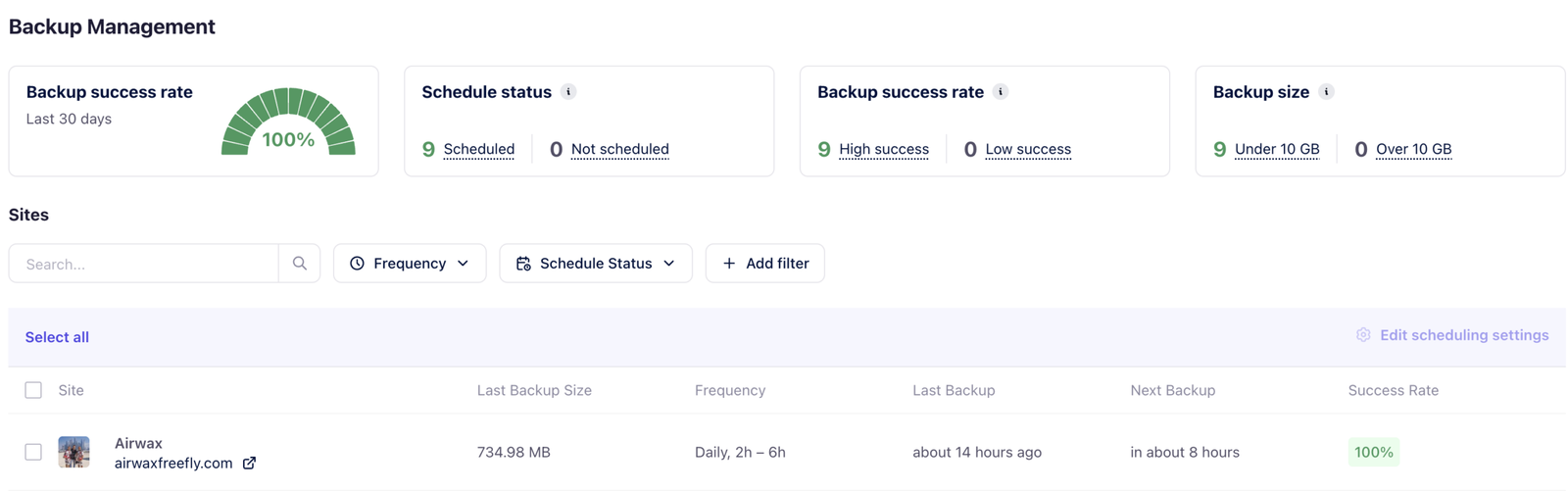
Let’s take a quick look at the new features of WP Umbrella following seven months of development:
- Integrity Verification & Self-Healing Backups: Backups generally work. But edge cases do happen. Every WP Umbrella backup is now verified against your live site once the backup has finished running. If the system detects missing files or folders in the archive, it automatically relaunches the backup to retrieve them. Additionally, WP Umbrella has troubleshot hundreds of edge cases to make it one of the most reliable WordPress backup solutions.
- Backup Management of Your Portfolio: Until now, finding out the backup status of 80 client sites involved visiting 80 WordPress sites. Even when everything was green, ‘everything looks fine’ was an educated guess. The new Backup Management view changes that. You can now open one screen and confirm that all of the sites you manage are backed up correctly. You can also filter sites by frequency or schedule status to identify configuration discrepancies across a client base. Finally, you can bulk edit backup settings such as frequency, retention and schedule across many sites in one action instead of having to do it individually for each site.
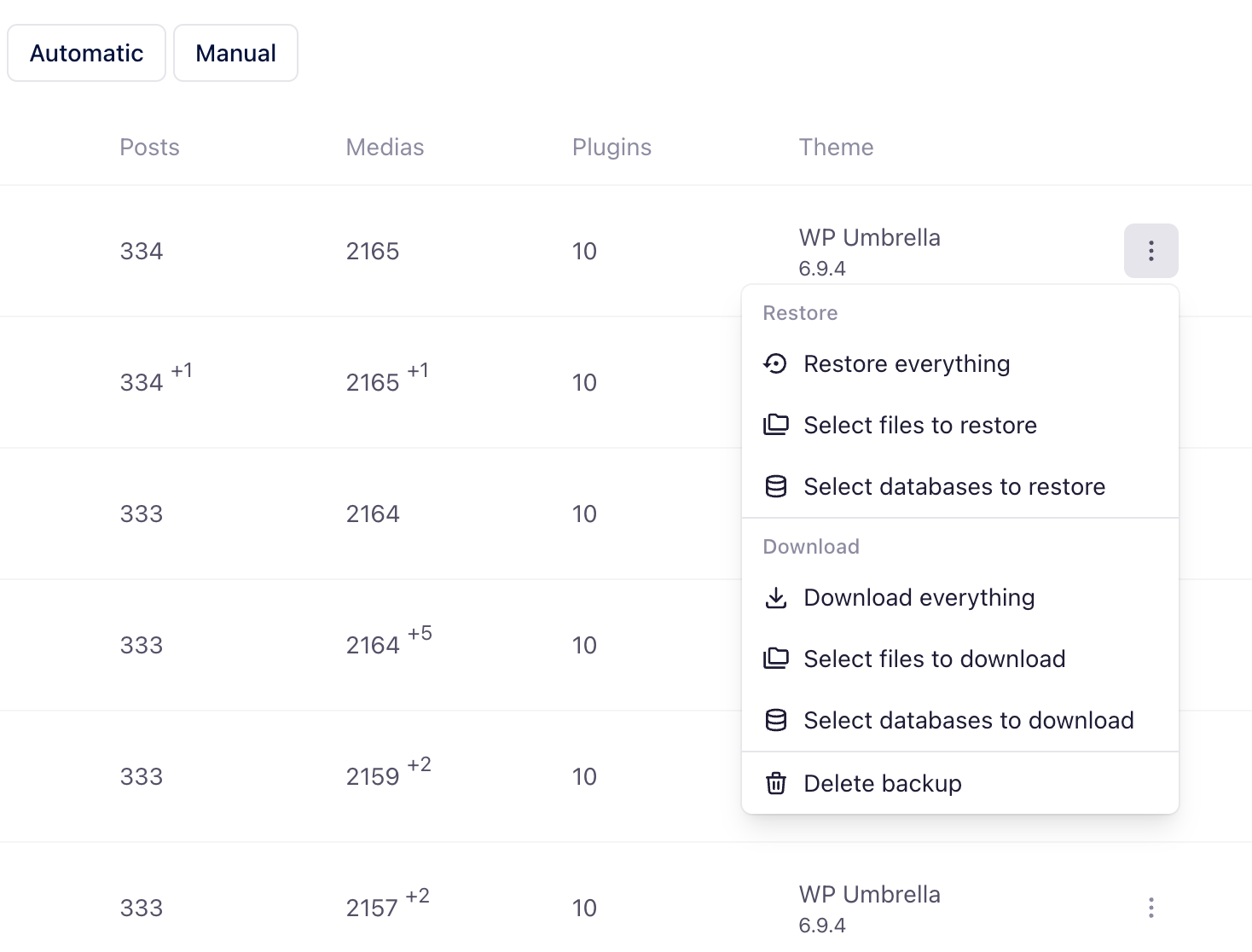
- Selective Restore: Anyone who has ever had to use a backup knows the pattern: something minor goes wrong and the only restore option is to roll back the entire site. This meant that either every change made since the last backup was lost, or two hours were spent restoring locally and copy-pasting the necessary bits. The single-site backup view has been redesigned with two key changes in mind. Firstly, you can finally see exactly how big your site is. Secondly, restoration is granular. For any backup in the list, you can choose to restore everything (the old default), only selected files, or only selected databases. The same flexibility applies to downloads.
- Bulk-Edit Backup Settings: Bulk editing of backup settings is now available directly from the new portfolio view. This means that changing the frequency across multiple sites is now a single action instead of 80.
What’s Next?
For the next major release, WP Umbrella will rebuild site cloning and migration so that it works in the same way as backup: verified, reliable and operable across an entire portfolio.
There will also be another feature that will change how agencies run care plans at scale.

Biff Codes - The Job Board for WordPress Devs
Biff.codes is on a mission to revolutionize job boards. Post and find WordPress developer jobs for free.
FTC Disclosure: We may receive a payment in connection with purchases of products or services featured in this post.








Add your first comment to this post