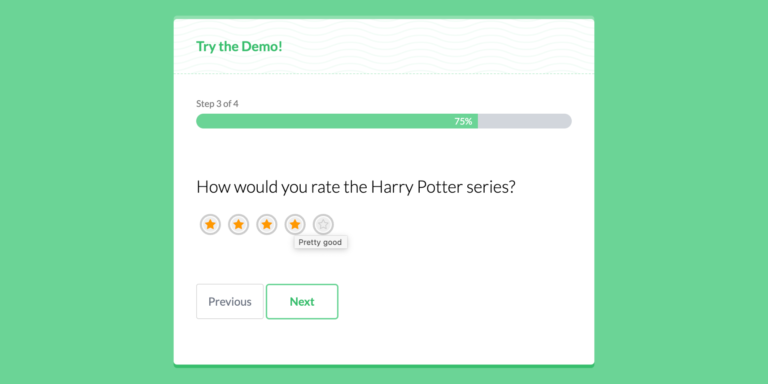
Fluent Forms just released version 4.3.6 of their WordPress form builder plugin, introducing a new Airtable integration, advanced quiz scoring, an improved file upload feature, and more.
Airtable Integration You can now connect Fluent Forms with Airtable via integrations module.
Advanced Quiz Scoring They improved the quiz module introduced in the previous version by adding an advanced quiz scoring. You can now assign different scores to different answers and score the answers accordingly. In addition, they released new quiz score types: Total correct point, Total point, Total correct answer, Fraction point, Grade system, and Percentage.
Improved File Upload They have added a new option to the file location type, which now allows you to save uploads to the media library.
Lastly, Fluent Forms introduced a new option that lets users download their submissions as PDFs. Simply download the free PDF add-on to enable this option.
ConvertBox just rolled out two exciting new features for their CRO and on-site engagement platform that are designed to further increase your visitor engagement. Meet a new teaser box and custom images for buttons.
You can now add a so-called teaser box in front of your ConvertBox to entice visitors to your website to interact with your ConvertBox. It’s never been easier to grab their attention!
To make them stand out even more, you can enable a number of visual customization options (live preview in the editor) to modify the look and feel of the teaser box:
15 Icons included or upload a custom icon
Teaser box position: Left or right
Custom teaser message
Custom text and background colours
3 Audio notification options
5 Animation options, e.g. Fade In, Slide Up and Bounce plus pulse animation
Option to show teaser message on hover, and more
After opening the editor, you just need to activate the “Teaser” button in the sidebar to boost your conversions!
The teaser functionality is a great, non-intrusive way to grab a site visitor‘s attention.
Note that this feature is available for all ConvertBox types except embedded boxes.
Due to popular demand, you can now customize a button element with your own image! You can use all the powerful button features, such as changing steps, opening another field, or redirecting to another page. Just insert a button element to see the new options.
This new feature will certainly increase the interaction with your CTA.
GravityView is very well known for presenting data collected with Gravity Forms and, besides the core plugin, also offers a whole range of great, essential Gravity Forms add-ons, such as Inline Edit, Calendar and GravityActions.
With GravityCharts, a new add-on has just been added to the GravityView suite that allows you to create business reports with beautiful custom charts and graphs that you can then display on the frontend of your WordPress site.
With GravityCharts you can create custom charts and graphs from your Gravity Forms form entries. For example you can easily visualize survey results and questionnaires or display live poll results. However, automatic updating of your charts will only occur if DataTables Layout is used at the same time.
You can choose from 5 beautiful chart types, which you can customize as you wish. So you can visualize boring data in an appealing way – without writing a single line of code.
Feature Highlights
Create an unlimited number of line, area, bar, radar and pie charts powered by Chart.js.
Support for advanced conditional logic to filter your form data.
Support for Checkbox, Drop Down, Radio Button, Survey, Poll and Quiz fields.
Output customization via hooks and filters.
Many customization options with live preview.
Embed via GravityCharts block.
Support for Gravity Forms Survey add-on.
Intuitive UI.
Pricing
GravityCharts can either be purchased as a standalone plugin from as low as $79 for a single site license or as part of their All Access Pass.
PS: In May 2022, GravityView changed their brand name to GravityKit. Since September you can also thoroughly test all GravityKit plugins for free before buying them on the new demo site powered by InstaWP.
You can now integrate the following four leading ecommerce platforms with GetResponse:
Shopify
WooCommerce
PrestaShop
Magento
How does it work? There is no complicated setup required! You can connect your online store with GetResponse with just one single click.
With the integration you can sync your product inventory, customer data and past orders with GetResponse. Then you can use their powerful marketing tools to promote products, boost sales with content, and customize offers.
Speaking of, you can can synchronize promo codes and seamlessly drag and drop them into newsletters, autoresponders, or even automation messages.
Check out the features:
Email & SMS marketing
Marketing automation
Pre-built automation templates for ecommerce, e.g. recover lost sales, product recommendations and welcome emails
Web push notifications
Reporting with actionable data on revenue, average order value (AOV), and more
Lastly, GetResponse also introduced a new pricing plan called Ecommerce Marketing. Create your free account and test all features free for 30 days.
The Meta Box developers have just released the free MB Toolset Migration plugin on the WordPress repository to help you migrate custom fields from Toolset to Meta Box.
MB Toolset Migration
MB Toolset Migration allows you to migrate:
Custom fields, including all field types such as gallery, relationship, group, repeater, and flexible content.
Field groups settings with their location rules.
Conditional logic.
All post, term, and user data.
Relationships
It just takes one single click to migrate all the data from Toolset to Meta Box.
The MB Toolset Migration plugin is also included in Meta Box AIO.
By the way, we switched from Advanced Custom Fields (ACF) to Meta Box with our sites a few months ago. We only regret not having taken this step earlier.
PS: Due to popular demand, WP Webhooks released a Meta Box integration in July 2022. This allows you to create automated workflows directly within WordPress using Meta Box and other third-party plugins and services.
SEOPress recently released version 5.7 of their WordPress SEO plugin, introducing a Google inspect URL feature, support for Matomo self-hosted, an improved video XML sitemap, and two new Gutenberg blocks.
Google Search Console allows you to check a URL to get important information about its indexing, possible errors, discovery, AMP, the schemas found and much more.
The good news is that you no longer need to log into Google Search Console to get this information. SEOPress Pro has integrated this API into their content analysis feature. You can now audit a URL directly from your favorite editor or page builder and learn more about its status in Google.
In version 6.2, SEOPress has extended its Google Search Console integration to support the following four metrics: clicks, positions, CTR and impressions. You can find them in the list of your posts, pages and custom post types.
This way you can quickly determine which content performs best and which needs to be optimized.
Due to very strict data protection laws, there have been recent court rulings in various countries of the European Union, such as France and Austria, that have questioned or even banned the use of Google Analytics due to the GDPR.
Previously, SEOPress supported Matomo, which is considered one of the most popular alternatives to GA, but only the cloud version.
Now you can track your visitors with Matomo on-premise. After you install Matomo on your own server and connect it to your WordPress site via SEOPress, your tracking code will be automatically generated based on your settings. Unlike Google Analytics, the data remains stored with you and only you have access to it. This guarantees your compliance with the GDPR.
Due to popular demand, SEOPress now automatically adds YouTube videos to your video sitemap when you save or publish content. If you host videos on other platforms or on your own server, you can also add them manually.
As icing on the cake, they created a new tool that allows you to re-generate your video sitemap by scanning your content for YouTube videos. You will find the Regenerate button at SEO > Tools > Video Sitemap.
New How-to & Breadcrumbs Blocks
In addition to the existing FAQ and Local Business blocks, SEOPress just added another two blocks for Gutenberg. Say hello to the new How-to and Breadcrumbs blocks.
Of course, they automatically generate the associated JSON schema so you can get a rich snippet in the search results and increase both your visibility and traffic.
Lastly, you can automatically activate your license key for SEOPress Pro by adding define( ‘SEOPRESS_LICENSE_KEY’, ‘XXXXXXX’ ); to the wp-config.php file!
Apparently, the MotionVFX team doesn’t take any breaks and works around the clock. After mTuber 3 for DaVinci Resolve and mTransition Fade, mButtons and mCounter for Final Cut Pro, they have released yet another new plugin for FCP. Say hello to mLogo Channel.
Get a head start with mLogo Channel and let your logo be remembered by prospective customers – with 50 remarkable, striking logo animations for Final Cut Pro. You can even add your website address or tagline as a subtitle or simply animate your company name or YouTube channel name if you don’t have a logo yet.
Watch the following video tutorial to learn how to use mLogo Channel.
By the way, since October mLogo Channel is also available for DaVinci Resolve!
Intro Offer: Save $20 and get mLogo Channel for just $89 $69. Hurry up, this offer expires October 17, 2022.
WP Umbrella just announced a new option for their all-in-one WordPress management tool that allows you to add Google Analytics data to client maintenance reports. They also introduced a new custom sending domain feature.
With the Google Analytics integration, you can add GA data directly to the maintenance reports you automatically send to your clients. They can see the number of sessions and where the site traffic is coming from.
You can connect your GA account by navigating to Settings > Integrations in your WP Umbrella account.
The new custom sending domain feature allows you to white label the sending domain of the maintenance reports. Since they look like they come from your own domain, you can not only increase trust, email deliverability and open rates, but also maintain your brand identity.
To set a custom email sending domain, head over to Account Settings > White Label > Email Sending Domain.
You are now able to bulk activate and deactivate WordPress plugins directly from the WP Umbrella dashboard.
Whats Next?
The WP Umbrella team is currently improving the backup process to create the most efficient third-party backup solution for WordPress. After that, they will release a 1-click restoration feature, and then the team member management system.
As an attentive reader of our blog, you will have noticed that the order has changed slightly. The focus is currently on improving the existing backup feature.
The WooCommerce marketplace just recommended two plugins that will help you grow your online store and block fraudulent orders. Meet Anti-Fraud and Cost & Reports for WooCommerce.
WooCommerce Anti-Fraud
The WooCommerce Anti-Fraud plugin automatically blocks or pauses fraudulent orders. You can get instant insights into dubious transactions and stay ahead of potential threats from high-risk countries and problematic IP addresses.
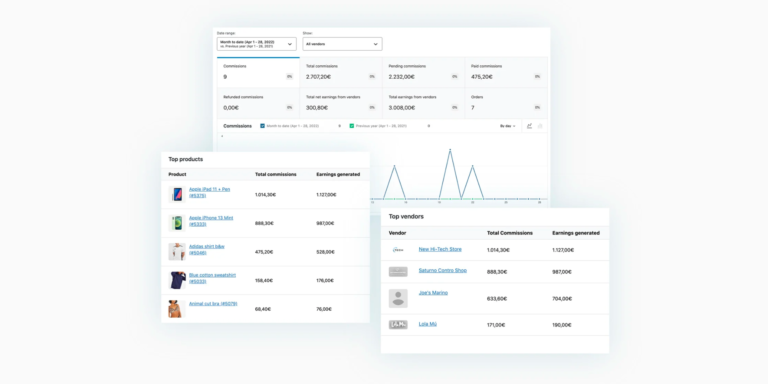
Cost & Reports for WooCommerce allows you to optimize your profits by tracking your shop’s profit margin and sales in detail. With this powerful solution, you can create detailed, downloadable CSV reports for orders, customers and products.
Save time by processing profit margins, stock levels and prices in bulk. Get automatic calculations for every metric and variation, and view prices with or without VAT.
WP Engine recently introduced Atlas, the „Future of Headless WordPress“. Basically, it is a fully-featured headless WordPress platform that allows developers to create exponentially faster dynamic websites with the flexibility and security that comes with headless solutions.
Headless solutions are absolutely the future of enterprise WordPress, yet there isn’t one end-to-end solution out there that includes the dynamic Node.js layer, the static CDN layer and the Headless content management systems (CMS) layer, in one package. That’s why we created Atlas.
Jason Cohen, Founder & CTO at WP Engine
Atlas is WP Engine‘s new enterprise-grade Node hosting platform which works differently from their WordPress platform. With WordPress, you get a server that you can access via SFTP or SSH. With Node, however, the infrastructure is opaque to you. You just have to point their platform to a GitHub repo and they will then monitor the repo and deploy it automatically!
Features & Benefits
Check out the benefits:
Single hosting experience with Node.js powered apps for the frontend and optimized WordPress for the backend.
Developer tools including modern frontend frameworks, APIs & resources.
Node.js and Headless WordPress in one integrated single platform.
Top-notch performance (up to 10 times faster than traditional WordPress).
Enterprise-grade security.
Multiple server-side environments, auto-deployments from GitHub branches, both static and dynamic headless architectures, a JavaScript framework of your choice, and a scriptable command-line.
Faust.js for easy WordPress development.
Full-featured sandbox, blueprints, WPGraphQL Plugin, and more.
Pricing
Atlas Sandbox is completely free of charge. Pricing for Atlas Hosting starts from as low as $49 per month for the Startup plan which includes one site, 25,000 visits per month, 10GB storage, and 50GB bandwidth per month.
By upgrading to an annual plan, you will get two months for free. WP Engine also provides a 60 day money-back guarantee.